
CREDIT INFORMATION

Due to recent "Cyber Theft" and "Fraudulent Copyright Violations" please contact main office 936-756-0442

EMPLOYEE LIST

For employee information please contact main office 936-756-0442

David Heintz
President
A & H Electric Co.
3505 N. Loop 336 West
Conroe, Texas 77304
Office: (936) 756-0442

Open post certified electrician in Conroe

Spring for These Energy Efficient Tasks

According to the U.S. Energy Information Administration (EIA), as of 2020, the average Texas household consumed 1,132 kilowatt-hours (kWh) per month at a $0.1171 per kWh for a total average monthly electricity bill of $132.59. Of course, these bills differ by household, depending on their specific usage and equipment choices. Other factors, including the square footage of your home and the number of household members, may influence your monthly charges.

Also, according to the EIA, a substantial percentage of a household’s annual energy consumption is spent on space heating and air conditioning. The administration adds that water heating, lighting, and refrigeration accounted for 22 percent in 2021. The remaining share of home energy use was used to power many household appliances, electronics, and other devices.

Unfortunately, as this data shows, powering our homes isn’t cheap. However, by examining your usage and identifying efficiency improvements, you have the potential to save energy and money. In addition, according to ENERGY STAR, you’ll be doing your part to help protect the environment. While many of these tips are do-it-yourself, others, like installing a smart thermostat and conducting electrical inspections, should be completed by a certified electrician in Conroe.

You Have the Power to Save By

Changing HVAC Air Filters

You should perform this task every three months for the best effects. A clean filter promotes adequate airflow and ensures your HVAC system operates efficiently. If you suffer from seasonal allergies, you may want to consider a HEPA filter.

Sealing Air Leaks and Drafts

According to the ENERGY STAR program, you can save up to $200 per year in heating and cooling costs by identifying air leaks in your building’s envelope and sealing them using cost-effective materials, such as caulk. These savings also reflect adding insulation.

Installing a Smart Thermostat

Installing a smart learning thermostat, allowing you to control and monitor the temperature from your smart device, can save you up to $100 per year on heating and cooling costs. The key to these savings is to choose an ENERGY STAR-certified model.

Swapping Out Your Lightbulbs

Another cost-efficient way to save energy is to swap out the bulbs in your light fixtures with CFLs or LEDs that are ENERGY STAR certified. These lightbulbs use 90 percent less energy and last 15 times longer. Also, make sure to purchase dimmable bulbs.

Installing Dimmable Switches

Once you’ve purchased dimmable light bulbs, have a certified electrician in Conroe come to your home to install dimmer switches, which allow you to set the brightness in a room. These are particularly ideal for children and family rooms.

Contact a Certified Electrician in Conroe

A&H Electric Co. has over thirty years of experience providing residential and commercial electrical repair, maintenance, and installation. We offer a full suite of services, not limited to electrical safety inspections and whole home rewiring, with all work performed by experienced technicians. Please don’t hesitate to schedule an appointment anytime you need a certified electrician in Conroe to service your home or business, even if it’s after hours, as we offer 24-hour emergency repairs.

Join the A&H Electric Co. Family! A&H Electric Co. is currently looking for experienced electrical technicians to join our team. You must have prior experience providing residential and commercial electrical repair, maintenance, and installation. If you’re interested in becoming part of the A&H Electric family, please contact us at (936) 756-0442 or complete the online job application.

Resources:

“2020 Average Monthly Bill – Residential.” U.S. Energy Information Administration (EIA), 2020.

“Heat & Cool Efficiently.” ENERGY STAR.

“How is electricity used in U.S. homes? U.S. residential sector electricity consumption by major end uses in 2021.” U.S. Energy Information Administration (EIA), n.d.

“Start Saving Now: Featured Actions.” ENERGY STAR.

“Texas State Profile and Energy Estimates.” U.S. Energy Information Administration (EIA), 2019.

“Use of energy explained.” U.S. Energy Information Administration (EIA), June 23, 2021.
Open post certified electrician

Food Safety in The Event of a Power Outage

Whether it’s from a powerful storm or extreme heat, when your house goes dark and quiet, there are specific things you should do to prevent refrigerated and frozen food from spoiling. That is particularly essential should the power outage extend past four hours as this is the time that the U.S. Department of Agriculture (USDA): Food Safety and Inspection Service says that perishable food will remain safe in the refrigerator, while a full freezer will hold its temperature for 48 hours – 24 if half-full, assuming the door stays closed until a certified electrician can restore power.

The agency also assumes that the fridge and freezer maintained temperatures of 40ºF or below and 0ºF or below. Ideally, you should purchase two appliance thermometers, placing one in the refrigerator and the other in the freezer to ensure those temperatures. Depending on the type, you can find these at the most popular retailers for under $20. A thermometer will be needed after power returns as well.

Should the temperature creep above the recommended degrees, bacteria can grow, potentially causing you to be at risk for foodborne illnesses once the food has been eaten. That is why the USDA encourages discarding any perishable food items if the temperature of your fridge is above 40ºF or your freezer is above 0ºF after a certified electrician has restored power to your community or residence. If you are uncertain about an item, play it safe by discarding it, especially if there’s an odor or color. The agency also cautions against tasting food as even a tiny amount may make you sick.

Consider a Whole House Generator

Unfortunately, power outages happen without notice, and those considered weather-related have been up 67 percent since 2000. That is according to the Department of Energy Data, as mentioned in by the USDA in their article, “Avoid Foodborne Illness During Temporary Power Outages.” While there are certainly ways to promote food safety before and during an outage, one of the best things you can do before the power goes out is to invest in a whole house generator, professionally installed by a certified electrician.

These devices are designed to deliver power to your home’s electrical panel, built to withstand the elements, and available with a host of additional features so that you never have to worry about opening the fridge and freezer, decreasing the time that your food will stay safe, during a power outage again. Also known as home standby generators, these devices start once they detect an outage, powering all your devices and appliances until power has been restored to your home. Remember that a certified electrician must professionally install these to ensure optimal operation.

Contact a Certified Electrician in Conroe

A&H Electric Co. has over thirty years of experience providing residential and commercial electrical repair, maintenance, and installation. We offer a full suite of services, not limited to electrical safety inspections and whole home rewiring, with all work performed by skilled technicians. Please don’t hesitate to schedule an appointment anytime you need a certified electrician to service your home or business, even if it’s after hours, as we offer 24-hour emergency repairs.

Join the A&H Electric Co. Family! A&H Electric Co. is currently looking for experienced electrical technicians. You must have experience providing residential and commercial electrical repair, maintenance, and installation. If you’re interested in filling one of our open positions, please contact us at (936) 756-0442 or complete the online job application.

We look forward to hearing from you soon!

Resources:

Carothers, Meredith. “Are You and Your Food Prepared for a Power Outage?” USDA, February 21, 2017.

“Food Safety During Power Outage.” U.S. Department of Health & Human Services, FoodSafety.gov, January 28, 2021.

“Food Safety for Power Outages.” Centers for Disease Control and Prevention (CDC), September 8, 2020.

Garcia, Jesus. “Avoid Foodborne Illness During Temporary Power Outages.” USDA, August 18, 2021.

Open post Making-Sense-of-Your-Home-Energy-Use

Making Sense of Your Home Energy Use

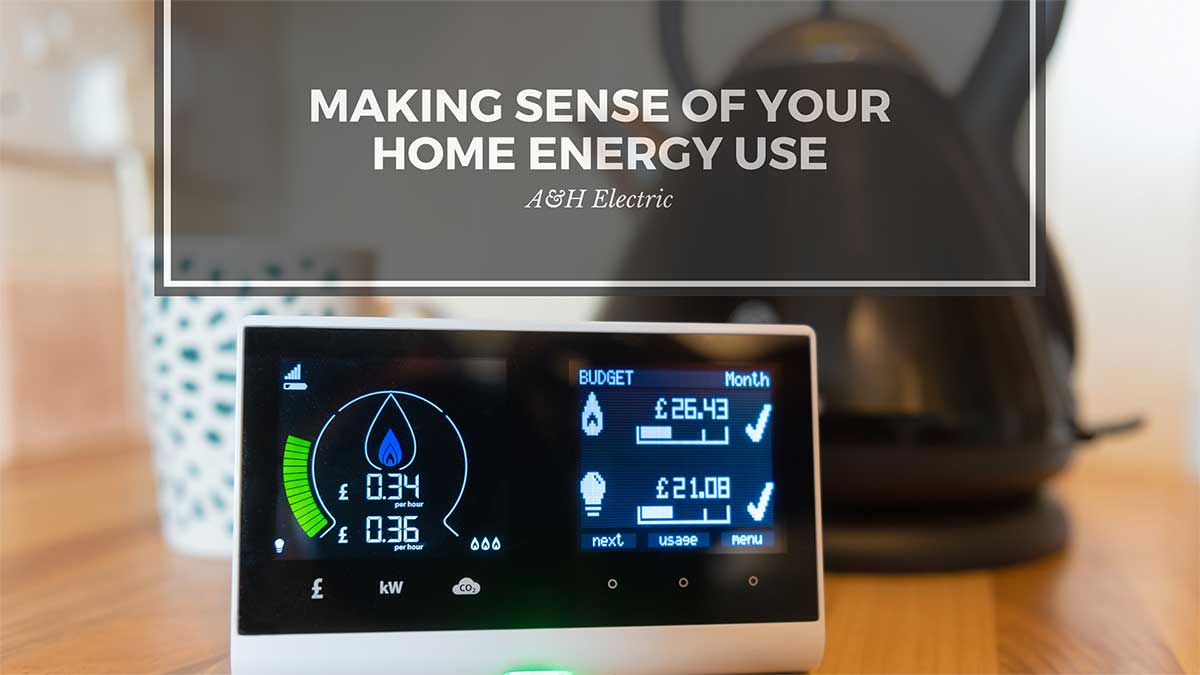
It can be challenging to determine what appliances and electronics are consuming the most electricity. According to the U.S. Department of Energy, especially troubling are those that consume power when in a standby mode, as they can add an extra ten percent to your monthly utility bill.

You can identify inefficient devices and behaviors by using residential energy monitoring and management systems. These systems are connected to your electrical panel and, to ensure optimal performance, are best installed by a certified electrician.

They can provide an accurate readout of hourly electricity use so that you can make the best use of your energy consumption habits. They can also help you recognize areas where energy-efficient improvements may be of benefit.

Household vs. Appliance Energy Monitors

There are two types of energy monitors: household and appliance. A certified electrician is needed to connect a home energy monitor to your breaker box. Hiring a professional ensures that the system is installed correctly and that it is optimally performing. It will provide you with useful data in real-time so that you can take steps to reduce your carbon footprint while saving money on your monthly utility bills.

The other type of energy monitor on the market today is called watt electricity usage monitors. These are incredibly portable and can be used for multiple devices. To use the monitor, plug it into an outlet, and then connect the appliance to the device’s outlet. They are useful for assessing major appliances’ efficiency, desktop and laptop computers, flat-screen televisions, and other popular electronics.

Contact a Certified Electrician Today

A&H Electric can expertly handle all your electrical projects, regardless of complexity. It is essential to have a licensed electrician complete all electrical work to ensure your system is up to code and operating both reliably and safely.

A&H Electric is a certified and licensed residential and commercial electrician specializing in installation, service, and repair. Our company is proud to help with your electrical system in Conroe, Texas, and neighboring communities.

Please schedule an appointment today at (936) 756-0442.

How to Properly Clean Your Electronic Devices

Do you spray Windex on everything and rub it down with a paper towel? While this may be okay for countertops, mirrors and if you’ve seen My Big Fat Greek Wedding, cuts and abrasions, it can cause all sorts of damage to your electronic devices.

I know what you’re probably thinking, and the answer is no, you won’t have to spend more time or money cleaning them. In fact, they are remarkably easy to clean if you do it right, and with the right cleaning solution.

Here’s how to properly clean your electronic devices.

Dusting

One of the biggest enemies to your electronic devices is dust. Dust settles, thickens and eventually blocks the airflow of fans, vents and other critical components. Overheating can occur without airflow. Attract dust particles using a microfiber cloth.

Screens

More than most electronics, flat screen TVs, touch screens and computer monitors are vulnerable to damage from harsh or abrasive cleaning products. The ideal cleaning solution for these screens is two parts water to two parts white vinegar. Apply this solution to a microfiber cloth – never to the screen – to gently buff out spots. Be careful not to apply too much pressure.

Disc Players

The disc readers inside DVD players, Blu-Ray players, and video game consoles are extremely delicate and may start generating errors if dust thickens on or in them. Look for disc cleaner kits that can clean both your devices and discs. Make sure it’s compatible with your device. Gently dust the device’s exterior using a microfiber cloth.

Keyboards

Keyboards get a ton of use, so they get dirty, fast. Before cleaning, be sure to unplug or otherwise disable them. Start by using a can of compressed air (found at your local office supply store) to blow out any debris. Then remove any buildup using cotton swabs dipped in rubbing alcohol.

Remote Controls

Remote controls are a magnet for germs and dirt, conveniently delivered by your, your family’s or your guest’s fingers. Spray compressed air between the buttons to loosen any embedded dirt and debris. Disinfect by wiping with an antibacterial wipe. Hit your video game controllers the same way.

Make cleaning your electronic devices part of your weekly cleaning routine to ensure dust, dirt and debris don’t wear them down, causing them to fail prematurely. If you need help powering your electronic devices, however, contact A&H Electric at (936) 756-0442.

Protect Your Home with a Whole-House Surge Protector

Each electronic device in your home, from your HVAC unit to your large screen television, and high-tech audio equipment has a microprocessor. Without adequate protection, power surges can destroy these microprocessors, rendering your home electronics and/or appliances completely useless. The cost to replace each damaged device is much more expensive than installing a whole-house surge protector.

Where do surges come from?

Power surges can originate from external and internal sources. External sources include lightning striking nearby circuits and the electric utility company switching power grids. These surges can enter the house through several pathways. Internally, power surges result when large appliances like air conditioners and refrigerators turn on and off their motors, decreasing the flow of power. Static electricity can also cause power surges.

Whole-House Surge Protectors

Type 1

A Type 1 Surge Protection Device (SPD), also known as a secondary surge arrestor, protects against external power surges, such as those caused by lightning striking utility equipment, tree limbs touching a power line or your power company switching power grids. They are typically installed on the line side of the main service entrance. They are your first line of defense against potentially damaging power surges.

Type 2

A Type 2 SPD, also known as panel protector, is installed at your branch panel (more commonly referred to as your breaker panel). Wired directly to a dual-pole breaker in your panel, type 2 surge protectors protect all the circuits in that panel, as well as any subpanels that might be connected downstream. They generally provide protection against surges originating from inside your home.

Type 3

This category is one you are probably already familiar with. Devices, such as power strips and battery backups with built-in surge protection, suppress the lower level voltage spikes that can be especially damaging to high-tech electronics (e.g, computers, audio components, Smart TVs, and other household electronics). Power strips should specify that they have surge protection capabilities to be considered an SPD.

A full-featured whole-house surge protector diverts power surges away from your home and into the ground. Look for an SPD with a minimum rating of 50kA (1kA equals 1,000-amps). You will also want to make sure the device you choose complies with the most recent UL rating. Contact a licensed electrician in your area for professional whole-house surge protection device installation.

How to Recycle Your Electronics

Recycle Your Electronics

Leaving dated, damaged or non-working electronics on the curb, or tossing them in the trash can for the garbage man to pick up might sound like a good idea, but it’s not the most environmentally friendly nor is it safest option.

Old electronics, such as, televisions, DVD players, VCRs, cell phones, alarm clocks, video games, cameras, and laptops contain heavy metals such as cadmium, mercury and lead which can leach into the ground. This is damaging to the environment.

A Growing Problem

The typical American family own 24 electronic devices [Source: Consumer Technology Association]. At any given time, however, this number may grow or decline. As these products break, they are often replaced with newer models, although it’s not uncommon for people to upgrade some devices annually when the newest flagship hits the market.

2.4 million tons of electronic waste (e-waste) can be found in our landfills. Because landfills are not designed to receive e-waste, the chance of hazardous wastes being released into the environment is higher, and the opportunity to recover precious metals (e.g., aluminum, copper, gold, and silver) in these devices lower.

A Better Choice

A better alternative is to donate it for reuse or drop it off at a recycling center. The U.S. Environmental Protection Agency (EPA) offers many reference tools, from directories of local and government supported drop-off centers to manufacturers’ mail-in recycling and trade-in programs; found on their website. Companies like YouRenew.com will even pay you to recycle your old devices.

Before Donating or Recycling, You Should:

  • Determine if the device can be fixed
  • Delete all personal information from your devices
  • Remove any batteries and/or hard drives from your devices
  • Contact your local recycling facilities, ensuring they accept the device you wish to donate or recycle

Recycle Your Electronics Benefits

There are several benefits to recycling your electronics, including:

  • Creates jobs
  • Frees up landfill space
  • Protects the environment
  • Conserves natural resources
  • Helps others (by donating)

For additional ways you can help the environment, while saving energy and money, we encourage you to read our blog monthly or visit us at www.ahelectric.com.

Easy Steps To an Energy-Efficient Refrigerator

In terms of home appliances and energy use, the refrigerator is one culprit that often leads to high utility bills, when compared with other home appliances. You can calculate your refrigerator’s annual energy use by clicking here. Today’s models are fortunately 60 percent more energy efficient than they were in years’ past. The following easy steps will ensure an energy-efficient refrigerator.

  1. Keep it clean. We’re talking inside and out. This step includes keeping the coils free of dust and grime. A dirty refrigerator uses more electricity than typically required. You should also avoid storing anything on top, as this can prevent proper ventilation, thus leading to increased electricity usage.
  2. Keep it full. Keeping your refrigerator fully stocked is, quite possibly, one of the simplest methods for ensuring it runs efficiently. If you’re more a freezer kind of person (my freezer is always full; my fridge not so much), then you may want to consider thinking outside the box, or investing in a smaller unit.
  3. Keep it at the correct temperature. The U.S. Department of Energy (DOE) recommends setting your refrigerator between 37 and 40 degrees for maximum effectiveness and efficiency. The freezer should be set at 5 degrees. It’s a good idea to routinely test your refrigerators temperature. Here’s how:
  • Place a thermometer in a shallow bowl
  • Place bowl on the middle shelf of your unit
  • Check the temperature after a day or so
  1. Allow leftovers to cool – prior to placing in the refrigerator or freezer. Putting hot food in your refrigerator causes it to work that much harder as it attempts to cool food down to an adequate temperature. Always allow your leftovers to sit on the counter until they’ve cooled down to room temperature.
  2. Inspect the refrigerator’s sealing. The American Council for an Energy-Efficient Economy (ACEEE) recommends testing the unit’s sealing by placing a dollar bill in the door to see if it stays. Replace sealing if it doesn’t stay. Do this every six months. A faulty seal allows air to escape, resulting in temperatures rises.
  3. Keep it in a cool location. Avoid keeping your refrigerator next to appliances that emit heat such as microwaves, stoves, or ovens. Keep it away from direct sunlight. Keep trips to the refrigerator at a minimum if you truly want to save energy (you allow cooled air to escape each time you open it).

Brought to you by A&H Electric.