CREDIT INFORMATION

Due to recent "Cyber Theft" and "Fraudulent Copyright Violations" please contact main office 936-756-0442

EMPLOYEE LIST

For employee information please contact main office 936-756-0442

David Heintz
President
A & H Electric Co.
3505 N. Loop 336 West
Conroe, Texas 77304
Office: (936) 756-0442

Open post Power-Your-Outdoor-Living-Spaces

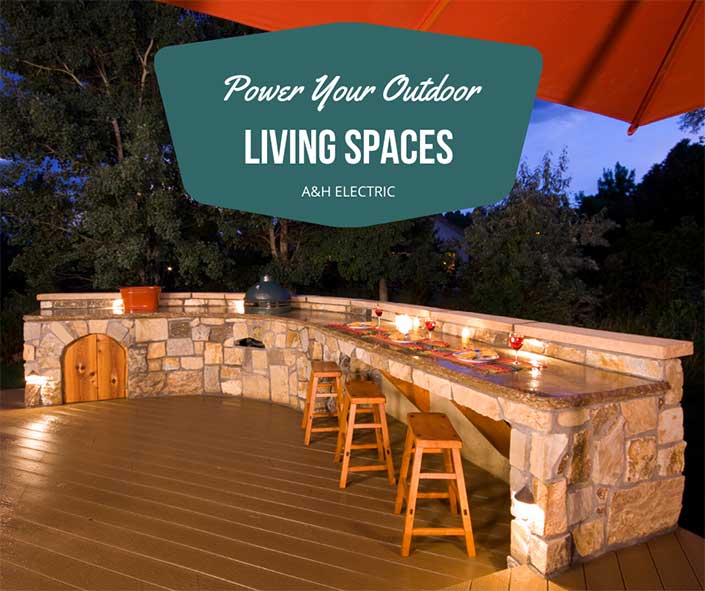
Power Your Outdoor Living Spaces

Imagine dining under the stars, having a backyard movie night, or unwinding next to the warmth of a outdoor fireplace. If these activities appeal to you, you may want to consider extending your living space outdoors. No shortage of interior features can be created outdoors, assuming a professional, certified electrician has completed the proper electrical work.

Electricity changes the name of the game in outdoor living spaces. Having a certified electrician provide electrical work allows you to power exterior kitchen appliances, big-screen televisions, pool and spa equipment, and electric fireplaces. Inspiration for outdoor living spaces can be found on Pinterest and home improvement sites.

Making sure that there is an adequate number of outlets is equally essential for plugging in all your gadgets, whether portable or stationary, so that there is little reason to head inside. Another factor to consider is the installation of lighting and ceiling fans. The latter will make it much more comfortable for you to spend time outside during the Texas summer.

Required Electrical Work

The type of electrical work you’ll need will ultimately depend on what you desire in an outdoor space. Let’s say you want a functional kitchen for cooking family dinners without heating the entire house. The appliances required for building this type of outdoor living space must comply with local codes. Your home may also need to be rewired to accommodate any new equipment.

The National Electrical Code (NEC) requires ground fault circuit interrupters (GFCI) outdoors. These devices are designed to trip the circuit breaker in the event of a ground-fault. For additional NEC and local code requirements, consult a certified electrical contractor, such as A&H Electric. 

Contact a Certified Electrician Today

Have a certified electrician complete all electrical work to ensure your system is operating reliably and safely. Schedule an appointment with an electrical contractor today at (936) 756-0442. A&H Electric is a certified residential and commercial electrician specializing in installation, repair, and service. Our company services Conroe and the surrounding communities of Texas.

Resources:

“Electrical Circuit-Interrupters.” National Fire Protection Association, nfpa.org/Public-Education/Fire-causes-and-risks/Top-fire-causes/Electrical/Electrical-circuit-interrupters.

Is Overnight Device Charging Safe?

overnight device charging

Raise your hand if you’ve plugged in your phones, tablets, or laptops just before falling asleep. The promise of waking up fully rested, ready to go about our days, with a fully charged electronic device to assist us is quite alluring. Then there are those who’ve been told that overnight device charging is incredibly bad for the battery.

Here we explore this and other ways to protect your devices.

The Skinny on Overnight Device Charging

Today’s devices feature lithium-ion batteries and built-in protection chips. The latter stops the device from drawing power once the battery has reached capacity. That can take as little as 15 minutes to two hours depending on manufacturer and charging method (e.g., wireless, plugged-in, fast, or standard).

A problem can develop, though, if the battery overheats while charging. Once a device reaches capacity, charging temporarily ends until the battery falls below 100 percent or on some laptops, the stop charging threshold you set. That has the potential to produce heat, shortening the battery’s lifespan.

To prevent overheating, experts recommend removing any cases before charging overnight. It is also best to leave the phone on a flat, hard surface, like your nightstand. You should never place a charging device under your pillow either as this can cause it to quickly overheat. Many phones will shut-down should they get too hot.

What About USB Outlets?

Wall outlets with USB ports – USB-A, USB-C or both – are safe granted you still use official cables. The key here is to make sure the wall outlet with USB ports is UL listed, NEC compliant, and properly installed (preferably by a licensed electrician). Also, choose name brand manufacturers, rather than a cheaper alternative. Remember: You get what you pay for.

Don’t Let the Battery Drop to 0%

You can certainly benefit from not draining the battery before recharging. That’s because most lithium-ion batteries work in charge cycles. “You complete one charge cycle when you’ve used (discharged) an amount that equals 100% of your battery’s capacity – but not necessarily all from one charge,” according to Apple. As a rule, if your device falls below 30 – 40 percent, turn on the gadget’s power-saving mode. You may lose some features, but it’ll extend the battery’s lifespan.

A&H Electric specializes in the installation, repair, and service of all electrical systems in both commercial and residential properties throughout Conroe and the surrounding areas of Texas. We also perform electrical safety inspections. Schedule an appointment with a qualified, licensed electrician today at (936) 756-0442.

Phantom Loads Revealed

phantom loads

The electricity consumed by common home gadgets and appliances despite being switched off is referred as phantom loads. The convenience popular products afford you comes with a price tag. According to a 2015 report by the Natural Resources Defenses Council (NRDC), plugged-in devices continually draw power, costing you $165 annually and increasing your carbon footprint.

Banish household phantoms and effectively lower your energy consumption.

Phantom Loads Revealed

There’s no shortage of electronic gadgets in the average home. That said, the most notorious phantoms are those with digital displays, speakers and remote controls. You’ll likely find most of these devices centered in or around your entertainment center or home office. Some of the biggest offenders include set-top boxes, televisions, desktop computers or laptops, and gaming consoles.

Banish Phantom Loads Once and for All

The best way to banish household phantoms is to simply unplug all electronics and appliances when not in use. While this is effective enough in theory, walking around a 2,436 square foot home, on average, unplugging dozens of devices may not be very practical or efficient.

Enter surge protectors!

They may look the same, but power strips and surge protectors are not alike. The latter expands the electrical outlets in your home, sure, but it also adds a layer of protection between your equipment and power surges. Many of today’s surge protectors feature automatic shutoff, USB ports (bye-bye bulky energy wasting chargers!), and coax ports.

To cut off the phantom load, you must manually turn-off the surge protector.

A cost-effective alternative is a smart surge protector, also known as an energy-efficient surge protector. This type automatically cuts power to the devices each time they are switched off. Surge protectors can be found at most any electronics store, big box retailer, and online. To avoid the risk of overloading them, make sure to buy a few.

A&H Electric specializes in the installation, repair, and service of all electrical systems in both commercial and residential properties throughout Conroe and the surrounding areas of Texas. Schedule an appointment with a licensed electrician today to discuss additional ways to save energy in your home or business.

Only You Can Prevent Electrical Fires

electrical fires
Image Courtesy of the NFPA

Electrical failure or malfunctions account for more than 45,000 home fires per year and result in 420 deaths, 1,370 injuries, and $1.4 billion in direct property damage per year according to the National Fire Protection Agency (NFPA). To help reduce your risk of electrical fires, keeping you and your family safe, follow these simple safety tips.

Start with an inspection

The electrical system in your home may need to be rewired if your home is more than 40 years old, you’ve made major home improvements or added major new appliances, if your home has two-prong outlets, you frequently trip breakers or blow fuses, or if your home has aluminum instead of copper wiring. Even if none of these situations apply to you, you can’t go wrong with an expert electrical inspection.

Don’t overload your outlets

Overloading is a common cause of electrical fires. This happens when you plug too many appliances into the same outlet using an extension cord or power splitter. The U.S. Fire Administration recommends buying power strips equipped with internal surge protection. This ensures that a strip shuts off as soon as it becomes overloaded. Keep in mind that strips and extension cords are a temporary solution, not a permanent one.

Don’t DIY It

If you want turn off the electricity to your home, and install dimmer switches or replace an old ceiling fan, go right ahead. However, when it comes to installing additional outlets or rewiring your home, always contact a qualified electrician. DIY electrical work is not advisable because of the potential for danger: electrical shock or fire. All aspects of electrical work are governed by very strict codes.

Additional Safety Tips

  • Install smoke detectors on each level of the home, and inside each bedroom
  • Test smoke detectors monthly to ensure that they are working properly
  • Establish an emergency evacuation plan, and practice with your family
  • In homes with small children, install tamper resistant receptacles
  • Use light bulbs that match the recommended wattage on the fixture
  • Ask a qualified electrician if your home would benefit from Arc-Fault protection
  • Never use extension cords to power major appliances, always plug into an outlet
  • Have a qualified electrician add outlets to reduce your use of extension cords

How to Properly Clean Your Electronic Devices

Do you spray Windex on everything and rub it down with a paper towel? While this may be okay for countertops, mirrors and if you’ve seen My Big Fat Greek Wedding, cuts and abrasions, it can cause all sorts of damage to your electronic devices.

I know what you’re probably thinking, and the answer is no, you won’t have to spend more time or money cleaning them. In fact, they are remarkably easy to clean if you do it right, and with the right cleaning solution.

Here’s how to properly clean your electronic devices.

Dusting

One of the biggest enemies to your electronic devices is dust. Dust settles, thickens and eventually blocks the airflow of fans, vents and other critical components. Overheating can occur without airflow. Attract dust particles using a microfiber cloth.

Screens

More than most electronics, flat screen TVs, touch screens and computer monitors are vulnerable to damage from harsh or abrasive cleaning products. The ideal cleaning solution for these screens is two parts water to two parts white vinegar. Apply this solution to a microfiber cloth – never to the screen – to gently buff out spots. Be careful not to apply too much pressure.

Disc Players

The disc readers inside DVD players, Blu-Ray players, and video game consoles are extremely delicate and may start generating errors if dust thickens on or in them. Look for disc cleaner kits that can clean both your devices and discs. Make sure it’s compatible with your device. Gently dust the device’s exterior using a microfiber cloth.

Keyboards

Keyboards get a ton of use, so they get dirty, fast. Before cleaning, be sure to unplug or otherwise disable them. Start by using a can of compressed air (found at your local office supply store) to blow out any debris. Then remove any buildup using cotton swabs dipped in rubbing alcohol.

Remote Controls

Remote controls are a magnet for germs and dirt, conveniently delivered by your, your family’s or your guest’s fingers. Spray compressed air between the buttons to loosen any embedded dirt and debris. Disinfect by wiping with an antibacterial wipe. Hit your video game controllers the same way.

Make cleaning your electronic devices part of your weekly cleaning routine to ensure dust, dirt and debris don’t wear them down, causing them to fail prematurely. If you need help powering your electronic devices, however, contact A&H Electric at (936) 756-0442.

Holiday Electrical Safety Tips

It’s getting to be that time of year again!

Yeah sure, it may only be October 30th to some people, but to other’s it is the start of one of the most festive times of year. It is during the brief period between Halloween, which is tomorrow, and the New Year, which is 63 days away, when homeowners find themselves quite literally decking the halls.

Unfortunately, however, the holiday season is also one of the busiest times of year for hospital emergency rooms. In fact, according to the U.S. Consumer Product Safety Commission, more than 12,500 people per year are treated in hospital emergency rooms for injuries related to holiday decorations.

In addition, the National Fire Protection Agency, warns that 380 holiday related home structure fires were the direct result of holiday lights, decorations and trees within the years of 2007 to 2011. Holiday trees accounted for 230 of these home structure fires.

So as you can see the holiday season isn’t just about decking the halls, fighting the crowds on Black Friday, or exchanging gifts; it’s also about ensuring your safety so that you and your loved ones’ can enjoy this joyous time of year; preferably without incident.

Safeguard Your Family with These Holiday Electrical Safety Tips

Before flipping the switch and lighting up the neighborhood, or just your home, make sure you have followed these simple holiday electrical safety tips. These tips will ensure you’re able to safeguard yourself, your family and your home from electrical shocks and fires.

  • Thinking of using a real holiday tree? Make sure you keep it properly watered the entire time it’s inside your home. A dry tree can quickly burst into flames. Plus, a properly watered tree, will keep it looking good and smelling great while in your home.
  • Whether you plan on placing holiday lights inside or out, you should always check each strand thoroughly for any damaged or frayed cords, as well as loose connections prior to installation. You should also replace any older light sets since they may no longer be up to code.
  • To make sure your light sets stay in good condition, which will hopefully save you money on the expense of replacing them or their light bulbs, you should store them in a tightly sealed container when not in use (so for the other 11 months of the year).
  • You should always refrain from using nails, tacks, staples, or anything of that sort when hanging your holiday lights. To prevent power shortages from affecting your décor, use insulated hooks or holders. The nice thing about this is that if you get the clear ones you can just leave them up.
  • If the cords and plugs of your holiday lights are running across the ground you should elevate them by again using insulated hooks or holders. This will you help you avoid damage or shorts from wet conditions such as snow, rain and debris.
  • If you must run extension cords across the ground, you may want to tape them in place to prevent anyone from accidentally tripping over them, and injuring themselves. Use a bright colored duct tape so that it is visible to anyone visiting.
  • Only purchase lights that been laboratory tested. You will typically notice that these lights have a UL listing on the outside of the box. These will ensure that the lights you purchased have passed rigorous safety and performance standards.
  • Always adhere to the recommended usage for your lights. So if your lights say interior use only…then only use them inside. If they say exterior use only…then only use them outside. You will find that many of the light sets on the market today are rated for both interior and exterior use.
  • Always turn off your lights whenever you are sleeping (this includes on Christmas Eve) or away from home; even if it’s only for a short while.
  • Overloading electrical circuits is a BIG no, no! Just don’t do it.
  • Plug all outdoor lights into a ground fault circuit interrupter (GFCI) outlet. These outlets are designed to shut off the flow of power whenever a short is detected.
  • Contact a professional electrical repair technician and request an annual safety inspection be completed on your home’s electrical system prior to the start of the holiday season.

Happy Holidays!!!

Whole House Generators: Powering on Demand

Some dangers rear their ugly head without any warning, as we have already evidenced with the United States’ recent natural disasters, but knowing this – knowing that danger is around every dark corner of the world – doesn’t mean we shouldn’t or can’t protect ourselves for its arrival.

In fact, when we prepare ourselves for dangerous situations, our chances of surviving increases significantly. Taking precautionary measures such as ensuring you’re not left in the dark for any extended period of time should a storm take out your electricity aids in your survival just as much as any other measure.

This is especially important for older adults. As well as those that may be more susceptible to hypothermia (below normal body temperatures) or hyperthermia (exceptionally high fevers) during intense cold or heat conditions. Ensuring your electricity remains on is also important for maintaining your quality of life.

Whole House Generators: Your Solution to Power Outages

One solution, which experts all seem to agree on, is whole house generators. While these type of generators can be quite expensive, when you consider the fact that 3.5 million Americans can be left without power in any given week, they just may be worth the expense.

The way whole house generators work is actually quite simple. Built to look much like an air conditioning unit, except for the fact that they are enclosed and are much larger, these types of generators power on automatically in the event your home goes off the grid.

They typically supply enough energy for your family to maintain your quality of life until the power is completely restored. And, although they’re expensive, they have the added benefit of increasing your home’s value; thus presenting you with the chance to net some of your expense back should you ever decide to move.

Whole House Generators: What You Should Look For

  • Generators come in a variety of sizes and workload capacities. You’ll want to ensure the one you purchase is capable of handling everything that you’ll want it to power until electricity is restored.
  • You should look for generators that have built-in transfer switches as this will ensure you don’t have to face the elements in order to turn the unit on by hand.
  • You should look for the highest quality units for maximum durability. Those that are made from stainless steel resist corrosion better than any other type of generator currently available.
  • These types of generators typically operate with the use of either natural gas or liquidized petroleum gas therefore its important to inquire about their fuel efficiency.
  • Whole house generators require professional installation. It is important to locate a professional electrician to ensure the proper placement and installation of your new unit.

Home Automation Systems Save You Money

Automating Your Home

Home Automation SystemsAs home energy prices continue to climb…and climb…and, well you get the picture, in a time when many homeowners are still feeling the effects of a bad economy, home automation systems are being used to alleviate the headaches associated with a homeowner’s rising energy costs.

According to the U.S. Energy Information Administration, the average homeowner shells out more than $100.00 per month on home energy costs alone. Their HVAC system can be found guilty of costing them at least half of this expense.

Therefore, the best home automation systems must work to regulate and control a home’s HVAC system, as well as its main electricity hogs – namely appliances, lighting, electronics, etc.  Home automation systems can transform your home into a smart home by allowing you to control the following:

  • The automation of your home’s lighting. You can turn your lights on and off remotely or on a schedule.
  • The temperature in which your air conditioning and heating system works to cool or warm your home.
  • Can open your blinds during the day and close them at night. You again can do this remotely or on a schedule.
  • Feed your pets according to the schedule you set. You forgot to feed Fido before going to work? Log-in remotely and feed him/her at your leisure.
  • Command your garage door to open and close.
  • Have a freshly brewed pot of coffee awaiting you first thing in the morning by setting your coffee maker.

This is, of course, just a small list of the things home automation can do for you. To put it very simply, everything in your home – at least everything that works off electricity – can be automated according to your exact specifications, ensuring you your complete comfort and peace of mind.

So, what type of system is best for your needs? Here we, at A & H Electric, discuss some of the more popular automation systems that can be easily incorporated into your home.

Choosing the Correct Home Automation System

  • Smart Thermostats – Thermostats that only control your HVAC system. Once installed, which is relatively easy to do, they allow you to remotely control your home’s temperature.
  • Home Automation Switches – These switches and outlets plug directly into your existing outlets making installation a breeze. They connect directly to your WiFi and can be controlled by your smartphone.
  • Central Automation – If you’re looking for the total package when it comes to your home’s energy and security, you’ll need to choose between the various central automation systems available on the market today.

Gain Confidence And Learn How To Replace Your Own Outlets

Are you interested in upgrading one or more outlets in your home but have no idea how to? Do you need to replace a damaged outlet? If yes, to either of these questions, then this is the blog post for you!

The idea of changing an outlet usually gets mixed feeling from many people. Some people will either know how to do it with no problems and others may have a fear of getting electrocuted which can prevent them from ever learning how. Whatever the reason, many people fail to learn how to replace an outlet, which is a very simple and basic home repair.

So, whether you are updating an old outlet or replacing a damaged outlet, these step-by-step instructions will help you ensure a smooth replacement while giving you confidence in your actions.

What You Need:

  • Outlet
  • Outlet Cover
  • Flathead and Philip Screwdrivers
  • Wire Stripper

When changing outlets, it is important to remember to shut the power off in the area where the outlet is located.

You can do this by turning off the switch in the fuse box to the specified location. Once the power has been shut off, the next thing to do is test the outlet. Plug a small appliance in the outlet to test if the outlet has no power. If the appliance is off, you have turned off the right circuit switch, if not, go back to the fuse box and locate the correct switch.

Once the power is off, grab your tools and begin replacing the outlet:

  1. Remove the outlet cover with a flathead screwdriver and place aside.
  2. Unscrew the two outlet screws and pull “old” outlet from wall, carefully.
  3. Unscrew one wire from the old outlet and then use the wire stripper to expose more wire.
  4. Take the exposed wire and using a Philip screwdriver, screw the wire onto the new outlet on the same position as it was on the old outlet.
  5. Repeat steps 3 and 4 until you have unscrewed, stripped, and screwed in all stripped wires to the correct location on the new outlet.
  6. Place new outlet back into wall and screw the outlet cover back in place.
  7. Turn the circuit switch to the outlet back on and test the outlet.
  8. Enjoy you’re new and upgraded outlet!

If you would like any advice from your Electrician Experts, please contact us today for your questions at (936) 756-0442.

This Math Problem Will Change Your Home, Forever; All You Need Is Time, Patience, & a Little Curiosity

It is safe to say that most people own at least one computer. Owning a computer may also mean owning accessories for your personal computer. For example, speakers, an additional monitor, printer, modem, router, keyboard, and mouse. For those who use their computers for picture sharing or school work may also have an external flash drive, which allows extra space for storing files and pictures without slowing down the computer. Now, consider how many power cords will need to be plugged into an outlet in order to power a computer and its accessories. If you try to plug in all of these appliances, you will find that your standard outlet only allows for two appliances at a time. You could plug an extension cord to another outlet to power more devices and appliances, but still, more plugs are needed? This is the point where you are hoping you have a power strip, which allows for housing several different outlets on a single bar.

“This Math Problem Will Change Your Home, Forever; All You Need Is Time, Patience, & a Little Curiosity”Continue reading