CREDIT INFORMATION

Due to recent "Cyber Theft" and "Fraudulent Copyright Violations" please contact main office 936-756-0442

EMPLOYEE LIST

For employee information please contact main office 936-756-0442

David Heintz
President
A & H Electric Co.
3505 N. Loop 336 West
Conroe, Texas 77304
Office: (936) 756-0442

Easy Fall Prep

fall prep

The upcoming arrival of fall represents many things to many different people. For children it means apple picking, hayrides, and trick-or-treating. For men it means the NFL – enough said. For women it means seasonal delicacies, new styles, and tall boots. Fall also means the return of seasonal favorites, family traditions, and spending time with loved ones.

Though it may be sad to bid farewell to the lazy days of summer, there’s simply something indescribably magical about fall, as Mother Nature paints a beautiful picture for all of us to enjoy. Fall’s arrival also signifies the approach of winter, which isn’t far behind. Here are a few projects to get your home ready for the coming cold.

  1. Maintain your electrical system

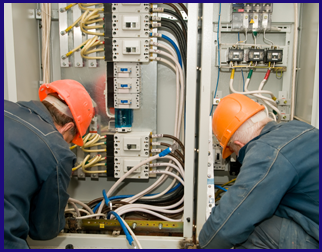
Fall is a good time to have your electrical system inspected by a certified electrician to make sure it’s working properly and that no shortages exist. Shorts in wiring and related equipment account for 63% of all home structure fires from 2007 to 2011, according to the National Fire Protection Association.

  1. Periodically test smoke alarms

Working smoke alarms save lives! Smoke alarms and carbon monoxide detectors should be tested at least once a month, and batteries should be replaced every six months, to ensure proper function. One of the best ways to remember to change your batteries is when you change your clocks for Daylight Savings Time.

  1. Tune up your furnace

Make sure your heating system will get your through the winter months by scheduling an annual furnace tune-up. If you haven’t already, you should consider replacing an outdated thermostat, with a programmable or smart thermostat. Replace your air filter for increased energy and monetary savings.

  1. Clean out gutters and downspouts

Fall foliage is beautiful – there’s no doubting that – but not so much when it builds up in your gutters. Clogged gutters can cause water to back up against the house potentially damaging your home’s roof, siding, and trim. Clogged gutters can also help create damaging ice dams.

  1. Seal up air leaks

A home with air leaks around windows and doors can account for up to 10% of your heating bills, according to the U.S. Department of Energy. Weather-stripping and caulking materials are easily the most cost-effective methods for sealing off air leaks. It’s a project that rewards you throughout the year; not just during the winter months.

Easy Steps To an Energy-Efficient Refrigerator

In terms of home appliances and energy use, the refrigerator is one culprit that often leads to high utility bills, when compared with other home appliances. You can calculate your refrigerator’s annual energy use by clicking here. Today’s models are fortunately 60 percent more energy efficient than they were in years’ past. The following easy steps will ensure an energy-efficient refrigerator.

  1. Keep it clean. We’re talking inside and out. This step includes keeping the coils free of dust and grime. A dirty refrigerator uses more electricity than typically required. You should also avoid storing anything on top, as this can prevent proper ventilation, thus leading to increased electricity usage.
  2. Keep it full. Keeping your refrigerator fully stocked is, quite possibly, one of the simplest methods for ensuring it runs efficiently. If you’re more a freezer kind of person (my freezer is always full; my fridge not so much), then you may want to consider thinking outside the box, or investing in a smaller unit.
  3. Keep it at the correct temperature. The U.S. Department of Energy (DOE) recommends setting your refrigerator between 37 and 40 degrees for maximum effectiveness and efficiency. The freezer should be set at 5 degrees. It’s a good idea to routinely test your refrigerators temperature. Here’s how:
  • Place a thermometer in a shallow bowl
  • Place bowl on the middle shelf of your unit
  • Check the temperature after a day or so
  1. Allow leftovers to cool – prior to placing in the refrigerator or freezer. Putting hot food in your refrigerator causes it to work that much harder as it attempts to cool food down to an adequate temperature. Always allow your leftovers to sit on the counter until they’ve cooled down to room temperature.
  2. Inspect the refrigerator’s sealing. The American Council for an Energy-Efficient Economy (ACEEE) recommends testing the unit’s sealing by placing a dollar bill in the door to see if it stays. Replace sealing if it doesn’t stay. Do this every six months. A faulty seal allows air to escape, resulting in temperatures rises.
  3. Keep it in a cool location. Avoid keeping your refrigerator next to appliances that emit heat such as microwaves, stoves, or ovens. Keep it away from direct sunlight. Keep trips to the refrigerator at a minimum if you truly want to save energy (you allow cooled air to escape each time you open it).

Brought to you by A&H Electric.

Smart Moves for Saving Energy and Money

smart moves to save energy and money

Although the United States uses several different energy sources to supply us with the energy needed to make electricity, heat or cool our homes, move our cars and manufacture the products we can’t live without, only five of these sources are renewable.

The sources that provide us with the most power, however, are all nonrenewable. There are a great many problems attached to the fact that supplies for these sources are limited, especially when you consider just how demanding today’s industrialized world really is.

That is why you would do well to consider ways you can reduce your consumption of energy as you move forward in life. This will protect the world’s nonrenewable resources for future generations, but it will also save you money on your monthly utility bills.

Incorporating some conservation techniques within your home can really make a difference. The best part? You won’t even notice the changes as they’ll become habit in no time at all.

The following are four of our favorite smart moves for saving energy and money:

Smart Move #1: Unplug Appliances When Not in Use

Appliance electricity use accounts for 37 percent of total household energy consumption across the nation according to the Energy Information Administration (EIA). However, much of this percentage is being wasted, as many appliances drain energy even when they’re not being used.

These appliances, also known as vampire appliances (or electronics), suck up power regardless of whether they’re on or off; thus resulting in increased utility bills. You can save money simply by unplugging certain appliances within your home when they’re not being used. Vampire appliances include:

  • Television sets
  • DVD players
  • Video game consoles
  • Cable/satellite boxes
  • Laptops/desktop computers
  • Printers and all-in-ones
  • Radios
  • Lamps
  • Toasters
  • Microwave ovens
  • Coffee makers

Smart Move #2: Install Low-Flow Aerators

A typically household uses upwards of 260 gallons of water per day. The good news is that by installing low-flow aerators and showerheads throughout your home, you can easily and inexpensively conserve two of the world’s most natural resources: energy and water.

An aerator is a screen that is attached to the bottom of your faucet which works to break up the water into tiny streams. These streams are mixed with air, leaving less space for water to pass through, thus reducing the flow rate. They can be found at virtually any home improvement store.

Smart Move #3: Seal Air Leaks

19 problem areas! That’s how many the average home in the U.S. has according to the U.S. Department of Energy. Reducing the leaks found in these problem areas by properly air sealing them is a cost-effective way to reduce your monthly utility bills, improve your HVAC system’s durability and create a healthier quality of indoor air.

Smart Move #4: Install a Programmable Thermostat

It’s no secret that heating and cooling your home accounts for approximately 50 percent of your home’s energy usage. Making the switch to a programmable thermostat from a manual one can save you as much as $180 per year.

Most basic thermostats allow you to set different temperatures for different times of the day. For example, you can set it for 78 degrees during the day (if you’re home), and higher in the evening hours. Smart models, which work with your phone, allow you to set it from anywhere should you forget.

Image Source: www.pixabay.com

6 Innovative Ways to Make Your Home Smarter

The vision of the future, which was spelled out in sitcoms such as The Jetsons and movies such as Back to the Future II, isn’t as far off as you’d imagine. While we’re on the subject of Back to the Future II, this year (2015) is the year that Marty McFly travels to, or for a better word, crashes into.

While flying cars remain to be seen, our future lets us see who’s entering our homes via live feed, turn on and off the lights, even play with our four legged friends remotely all by using something we carry around with us daily – our smartphone. Guess what? You can get your hands on these and more…now!

#1: PETCUBE

When you’re an animal lover, it can sometimes be far easy to feel guilty about leaving our furry friends at home, especially when they give you those “puppy” eyes. The Petcube is a video-camera system that allows you to watch live feed of your pets as well as play with them from anywhere you are.

#2: WELCOME CAMERA

The Netatmo Welcome Camera uses facial recognition technology to alert you whenever your family members arrive home. If it detects someone unrecognizable, you’ll get a ping. It even lets you view a livestream at any time using your smartphone or tablet.

#3: LG TWIN WASH

Why wash one load, when you can do two? The LG Twin Wash System has transformed a traditional pedestal drawer into a second washer; thus providing you with the opportunity to wash colors and whites or towels and delicates all at the same time.

#4: SENGLED SNAP

This is not your average lightbulb! The Sengled Snap is a light fixture that doubles as a security system with built in motion sensor, microphone, wireless camera and facial recognition software. The Snap is designed to work with existing home or lamps’ electrical infrastructure.

#5: PRONTO PEEL SMART REMOTE

If you’re anything like me, you probably lose the TV remote daily, but always seem to have you smartphone in hand. With the Pronto Peel Smart Remote, you never need to worry about losing the remote again, as it’s a hub that works with iPhone to allow you to control your TV, Blu-ray player and more.

#6: ECOVENT

Ecovent is a smart thermostat that allows you to set the temperature in each and every room of your house individually. The device utilizes hidden smart sensors that look like normal household plugs to monitor a room’s individual climate. Ecovent is compatible with many popular smart thermometers.

Home Automation Systems Save You Money

Automating Your Home

Home Automation SystemsAs home energy prices continue to climb…and climb…and, well you get the picture, in a time when many homeowners are still feeling the effects of a bad economy, home automation systems are being used to alleviate the headaches associated with a homeowner’s rising energy costs.

According to the U.S. Energy Information Administration, the average homeowner shells out more than $100.00 per month on home energy costs alone. Their HVAC system can be found guilty of costing them at least half of this expense.

Therefore, the best home automation systems must work to regulate and control a home’s HVAC system, as well as its main electricity hogs – namely appliances, lighting, electronics, etc.  Home automation systems can transform your home into a smart home by allowing you to control the following:

  • The automation of your home’s lighting. You can turn your lights on and off remotely or on a schedule.
  • The temperature in which your air conditioning and heating system works to cool or warm your home.
  • Can open your blinds during the day and close them at night. You again can do this remotely or on a schedule.
  • Feed your pets according to the schedule you set. You forgot to feed Fido before going to work? Log-in remotely and feed him/her at your leisure.
  • Command your garage door to open and close.
  • Have a freshly brewed pot of coffee awaiting you first thing in the morning by setting your coffee maker.

This is, of course, just a small list of the things home automation can do for you. To put it very simply, everything in your home – at least everything that works off electricity – can be automated according to your exact specifications, ensuring you your complete comfort and peace of mind.

So, what type of system is best for your needs? Here we, at A & H Electric, discuss some of the more popular automation systems that can be easily incorporated into your home.

Choosing the Correct Home Automation System

  • Smart Thermostats – Thermostats that only control your HVAC system. Once installed, which is relatively easy to do, they allow you to remotely control your home’s temperature.
  • Home Automation Switches – These switches and outlets plug directly into your existing outlets making installation a breeze. They connect directly to your WiFi and can be controlled by your smartphone.
  • Central Automation – If you’re looking for the total package when it comes to your home’s energy and security, you’ll need to choose between the various central automation systems available on the market today.

This Math Problem Will Change Your Home, Forever; All You Need Is Time, Patience, & a Little Curiosity

It is safe to say that most people own at least one computer. Owning a computer may also mean owning accessories for your personal computer. For example, speakers, an additional monitor, printer, modem, router, keyboard, and mouse. For those who use their computers for picture sharing or school work may also have an external flash drive, which allows extra space for storing files and pictures without slowing down the computer. Now, consider how many power cords will need to be plugged into an outlet in order to power a computer and its accessories. If you try to plug in all of these appliances, you will find that your standard outlet only allows for two appliances at a time. You could plug an extension cord to another outlet to power more devices and appliances, but still, more plugs are needed? This is the point where you are hoping you have a power strip, which allows for housing several different outlets on a single bar.

“This Math Problem Will Change Your Home, Forever; All You Need Is Time, Patience, & a Little Curiosity”Continue reading

Vampire Energy

Is electricity being used when items in your home are plugged into an outlet but not on?

A&H Electric ElectriciansIn order to answer this question about vampire energy, we must first consider a few factors. First thing first, vampire energy is what many refer to as the electricity that is wasted as a result of plugged in items that are still using electricity when off. Depending on the appliance and/ or device, in most cases you will discover that the devices are never truly off. Usually, the device is in a standby mode, which still requires the use of some electricity. The amount used also depends on the device. For example, a large television, like a plasma television, will use more watts than something like a blender because it is constantly processing information.

“Vampire Energy”Continue reading

Banned: 40- and 60-watt Incandescent Bulbs

Turn Lights Off

Do you recall back in 2007 when George W. Bush signed an energy bill that would, over time, remove incandescent light bulbs of 40- and 60-watts by 2014? Well, now the year is here and the ban of these not so energy efficient light bulbs will be removed from the shelves, as the production of these has already stopped. In fact, the government has already removed incandescent bulbs in 75- and 100-watts from the shelves since 2007 and we are not the first country to implement this.

The reason for this is to help save the consumers money over time. The 40- and 60-watt incandescent bulbs produce more heat which means you pay more for energy. Discontinuing these incandescent bulbs, theoretically, will benefit your wallet and save you money over time. There have always been energy-efficient options but they come with a pricier price tag. This could be the reason why the 40- and 60-watt incandescent light bulbs have remained so popular. Fact is experts agree and say that swapping our favorite bulbs for a bit pricier ones that are more energy-efficient will save us money on our electric bill over time.

“Banned: 40- and 60-watt Incandescent Bulbs”Continue reading

Let The Temperature Rise This Summer, Not Your Electric Bill!

How To Save Money On Your Electric Bill - Houston, Texas
Every summer, the electric bill begins to rise alongside the rising temperatures outside. One gets hotter while the other burns holes in your pockets, but is there anything you can do about this? Of course, it begins with being aware!

By becoming more aware of yourself and your surroundings, you can begin to see the big picture. How much are you actually spending on fast food or do you remember turning off the lights once you leave a room? Becoming observant can help you save money, and even better, save money on your electric bill.

“Let The Temperature Rise This Summer, Not Your Electric Bill!”Continue reading

Electricity 101: Volts, Amperes & Watts

Everyone uses electricity but most of us don’t know more than that we couldn’t have a refrigerator or a TV without it. Even though all electrical matters and work should be done by a professional electrician, this doesn’t mean that you shouldn’t know the basics. Here are some common terms and units you will come across when talking about your home’s wiring.

“Electricity 101: Volts, Amperes & Watts”Continue reading