
CREDIT INFORMATION

Due to recent "Cyber Theft" and "Fraudulent Copyright Violations" please contact main office 936-756-0442

EMPLOYEE LIST

For employee information please contact main office 936-756-0442

David Heintz
President
A & H Electric Co.
3505 N. Loop 336 West
Conroe, Texas 77304
Office: (936) 756-0442

Halloween Lighting Ideas

Halloween lighting ideas

Halloween is just a week away. That means it’s time to get your spook on. Between eerie tunes that cause spine tingling chills, decorations like hanging skeletons and faux spider webs and spooky Halloween lighting, there are plenty of ways to make your house the scariest on the block.

Here are few ideas for Halloween lighting and DIY decorations.

Halloween Lighting Ideas

Color Changing LEDs

Can’t decide on a color scheme for your Halloween décor? Try installing a couple color-changing bulbs to give your house a creepy hue. LEDs use 75% less energy than incandescent of similar brightness – so you won’t be surprised with a scary electric bill come November – and are designed to last 20-years.

Halloween String Lights

These lights practically scream Halloween. LED lights in the shape of Halloween icons, such as orange pumpkins, black cats and white ghosts shine bright indoors and out. You can hang them from your porch, fence, and trees or bushes to spook up your front yard. Make sure to inspect light strings for safety.

Colored Flood Light Bulbs

Ditch traditional white bulbs in your flood and spotlights for colored light bulbs. Orange and red colored light bulbs will create an ominous glow across your lawn, while blue and green hues are perfect for creating creepy cemetery scenes. These colors will also provide broad light ensuring the safety of trick-or-treaters.

DIY Halloween Decorations

Paper Silhouettes

Make cutouts from black paper, stick them in your windows, and back them with translucent white paper to create creepy shadows that are backlit with LED lights. Need artistic inspiration? Click here to download silhouette templates.

Pumpkin Porch Light Cover

Buy a pumpkin trick-or-treat pail – you can find these at your local dollar store or big box retailer – and using scissors, cut down the back’s center from top to bottom. You’ll also want to cut off the bottom. Pull the pumpkin down over the top of the light, ensuring the handle is secure, so that the pumpkin doesn’t fall off.

Halloween Mason Jar Luminaries

To make, simply place a sticker on the front of the jar, and spray the entire jar with primer and then paint in your choice of color. Allow time to dry between coats. Once dry, carefully peel the stickers off, and place a flameless LED tea lights inside.


Energy-Saving Tips for the Office

We have talked extensively about ways to save energy at home; now it is commercial business owners and managers turn for energy-saving tips. The following tips can yield significant savings.

Lights Off

Turn off lights when not needed. Turning off fluorescent lights when you plan on being out of a room for more than 15-minutes saves energy, extends overall lamp life, and reduces replacement costs. Contrary to popular belief, turning lights on and off does not use more electricity than leaving the lights on.

Improve Lighting Systems

Lighting consumes 25 to 30% of energy in commercial buildings (ENERGY STAR). Replacing incandescent bulbs with energy-efficient LED or fluorescent bulbs can reduce electricity consumption and improve your employee’s comfort. You may also want to consider replacing inefficient or outdated lighting fixtures.

Use Programmable Thermostats

When programming your thermostat, consider your normal business hours. During these hours, program the thermostat to 68˚F in the winter, and 78˚F in the summer. Depending on the season, program thermostats up or down outside these hours. Consider installing locking devices on thermostats to maintain desired temperature settings.

Establish a Preventative Maintenance Program

Establish an effective preventative maintenance program for your electrical system and equipment. Benefits include reduced repair costs, minimized or eliminated downtime, extended system and equipment longevity, and personal safety. Contact a certified electrician who services commercial offices in your area to get started.

Purchase ENERGY STAR Certified Office Equipment

When purchasing new office equipment, look for the ENERGY STAR label. The ENERGY STAR office equipment program promotes energy-efficient computers, monitors, imaging equipment, enterprise servers, data center storage equipment, small and large network equipment, and uninterruptible power supplies.

How to Properly Clean Your Electronic Devices

Do you spray Windex on everything and rub it down with a paper towel? While this may be okay for countertops, mirrors and if you’ve seen My Big Fat Greek Wedding, cuts and abrasions, it can cause all sorts of damage to your electronic devices.

I know what you’re probably thinking, and the answer is no, you won’t have to spend more time or money cleaning them. In fact, they are remarkably easy to clean if you do it right, and with the right cleaning solution.

Here’s how to properly clean your electronic devices.

Dusting

One of the biggest enemies to your electronic devices is dust. Dust settles, thickens and eventually blocks the airflow of fans, vents and other critical components. Overheating can occur without airflow. Attract dust particles using a microfiber cloth.

Screens

More than most electronics, flat screen TVs, touch screens and computer monitors are vulnerable to damage from harsh or abrasive cleaning products. The ideal cleaning solution for these screens is two parts water to two parts white vinegar. Apply this solution to a microfiber cloth – never to the screen – to gently buff out spots. Be careful not to apply too much pressure.

Disc Players

The disc readers inside DVD players, Blu-Ray players, and video game consoles are extremely delicate and may start generating errors if dust thickens on or in them. Look for disc cleaner kits that can clean both your devices and discs. Make sure it’s compatible with your device. Gently dust the device’s exterior using a microfiber cloth.

Keyboards

Keyboards get a ton of use, so they get dirty, fast. Before cleaning, be sure to unplug or otherwise disable them. Start by using a can of compressed air (found at your local office supply store) to blow out any debris. Then remove any buildup using cotton swabs dipped in rubbing alcohol.

Remote Controls

Remote controls are a magnet for germs and dirt, conveniently delivered by your, your family’s or your guest’s fingers. Spray compressed air between the buttons to loosen any embedded dirt and debris. Disinfect by wiping with an antibacterial wipe. Hit your video game controllers the same way.

Make cleaning your electronic devices part of your weekly cleaning routine to ensure dust, dirt and debris don’t wear them down, causing them to fail prematurely. If you need help powering your electronic devices, however, contact A&H Electric at (936) 756-0442.

How to Recycle Your Electronics

Recycle Your Electronics

Leaving dated, damaged or non-working electronics on the curb, or tossing them in the trash can for the garbage man to pick up might sound like a good idea, but it’s not the most environmentally friendly nor is it safest option.

Old electronics, such as, televisions, DVD players, VCRs, cell phones, alarm clocks, video games, cameras, and laptops contain heavy metals such as cadmium, mercury and lead which can leach into the ground. This is damaging to the environment.

A Growing Problem

The typical American family own 24 electronic devices [Source: Consumer Technology Association]. At any given time, however, this number may grow or decline. As these products break, they are often replaced with newer models, although it’s not uncommon for people to upgrade some devices annually when the newest flagship hits the market.

2.4 million tons of electronic waste (e-waste) can be found in our landfills. Because landfills are not designed to receive e-waste, the chance of hazardous wastes being released into the environment is higher, and the opportunity to recover precious metals (e.g., aluminum, copper, gold, and silver) in these devices lower.

A Better Choice

A better alternative is to donate it for reuse or drop it off at a recycling center. The U.S. Environmental Protection Agency (EPA) offers many reference tools, from directories of local and government supported drop-off centers to manufacturers’ mail-in recycling and trade-in programs; found on their website. Companies like YouRenew.com will even pay you to recycle your old devices.

Before Donating or Recycling, You Should:

  • Determine if the device can be fixed
  • Delete all personal information from your devices
  • Remove any batteries and/or hard drives from your devices
  • Contact your local recycling facilities, ensuring they accept the device you wish to donate or recycle

Recycle Your Electronics Benefits

There are several benefits to recycling your electronics, including:

  • Creates jobs
  • Frees up landfill space
  • Protects the environment
  • Conserves natural resources
  • Helps others (by donating)

For additional ways you can help the environment, while saving energy and money, we encourage you to read our blog monthly or visit us at www.ahelectric.com.

Save on Utilities

save on utilities

Oftentimes, many Texas families stare dejectedly at utility bills exceeding $100, $200 and sometimes more per month. According to 2014 data from the U.S. Energy Information Administration (EIA), the average monthly electricity bill in Texas is $137.39; among the highest in the nation. Water bills vary depending on city. This is because part of the state has a deregulated utilities market. Though this may be a hard pill to swallow, there are steps you can take to save on utilities.

Turn it Down

One of the easiest ways to save money on utilities is to turn down the heat in the winter and the air conditioner in the summer. Try setting the thermostat to 79 degrees in the summer. During the winter, set it at 68 degrees during the day, turning it down to 65 degrees at night or when you’re planning to be away from home. For additional savings, as well as convenience, install a programmable thermostat.

Turn it Off

It generally takes less than two minutes to walk through the house – depending on its square footage – ensuring all lights, fans and electronics are fully shut off. You may also want to unplug any electronics as well as appliances when they are not being used as they may still draw energy. These devices are called “vampires.” The best thing you can do is to develop a “turn it off” rule in your house.

Keep it Clean

Be sure to regularly clean your air filters. ENERGY STAR recommends changing them monthly or every three months if you invest in high-quality HEPA filters. Clean air filters are critical to the proper performance of your heating, ventilation, and air conditioning system (HVAC), not to mention to your home’s indoor air quality, as well as lowering your monthly heating and cooling costs.

Add Insulation

Inadequate levels of insulation can result in abnormally high energy bills. If you’re not sure why your bill is so high, you may want to invest in an energy audit or at the very least, have an insulation contractor come out to measure your current insulation levels. It is worth the investment! According to this year’s Cost vs. Value report, adding fiberglass insulation to your attic has an average return on investment of 107.7%.

Switch to LEDs

Choose light bulbs carefully. ENERGY STAR rated light emitting diodes (LEDs) use 90 percent less energy than standard incandescent bulbs and last 25 times longer. When you compare them directly with other energy efficient light bulbs – those currently on the market today – you will find that LED is the smartest solution for illumination. They are environmentally friendly as well. No conversion is required.

Making the Switch to LEDs

LEDs

LEDs are extremely energy efficient, consuming 90% less power than incandescent bulbs, and lasting 50,000 times longer. Although these bulbs may have a higher initial cost than more traditional bulbs, like incandescent, the cost is quickly recouped over time in lower electricity costs. These bulbs are also made from non-toxic materials, generate virtually no heat, and are 100% recyclable. If you have been considering making the switch to LEDs, NOW is definitely the best time to do so.

The History of LEDs

In 1878, Thomas Edison developed and patented the first, practical incandescent light bulb. In 1880, he began marketing these light bulbs to the public, doing business under the name of “Edison Electric Light Company.” Over the next several decades, other inventors also created light bulbs, and in 1962 the first practical light-emitting diode (LED) was created and marketed to the public.

In addition to LEDs, more types of energy efficient light bulbs, including the halogen bulb and the compact fluorescent bulb (CFL) were developed. Of the three, LEDs are available in a wide variety of shapes, wattages and sizes to accommodate most any light fixture. Today, the incandescent light bulb is considered obsolete given its relatively low brightness, and high energy consumption.

Environment Friendly

LEDs require very little electrical power to operate. In addition, their operating life is very competitive when compared directly with other types of light bulbs; approximately 50,000 hours compared to incandescent bulbs’ 2,000. Lastly, LEDs tend to generate less heat than other types of light bulbs, which avoids energy loss thus saving you 50 to 80 percent on your utility bills each month

Making the Switch is as Easy as 1-2-3

  1. Visit your local home improvement, hardware, or big box retailer to purchase replacement LED bulbs in the specific size, shape, and wattage you need.
  2. Remove your fixture’s existing light bulb, properly disposing of them.
  3. Install the bulbs. LED bulbs don’t require any conversion kits. They use the same sockets as your old incandescent or compact fluorescent bulbs.

How to Eliminate Drafts Around Electrical Outlets

eliminating drafts

Drafts in a home can be more than just unpleasant. They may be an indication of air leaks, which can lead to decreased energy-efficiency, and increased monthly expenditures.

If you are feeling the chill or are simply tired of receiving high electricity bills, and you have already sealed around your doors and windows, checking your electrical outlets and light switches for leaks should be next on your to-do list.

Stopping drafts in their tracks, using the method outlined below, is one of the most cost-effective ways for making your home more energy-efficient – not to mention, more comfortable – thus reducing your monthly electricity bills.

Holes Everywhere

Although, electrical outlet and light switch covers may look innocent enough, they are notorious for harboring drafty boxes – especially in older homes and/or on exterior walls, according to the Department of Energy. How much air escapes through these boxes depends on just how airtight the exterior of your home is: if no air is getting into your wall cavities the problem may be minimal.

Materials Required

To seal up your home, thus increasing your energy-efficiency, purchase inexpensive foam outlet and switch cover seals at your local home improvement or hardware store. Make sure to purchase enough for every outlet and light switch cover in your home along with a couple tubes of high-quality caulk. You can further seal the leaks by buying tamper-resistant receptacles.

Steps for Eliminating Drafts

#1. Remove the outlet and light switch covers.

#2. Run a thin bead of caulk where the box meets the drywall.

#3. While the caulk is still wet, apply the foam seal on top, pressing firmly so that it connects with the caulk. This makes for an airtight seal.

#4. Install tamper-resistant receptacles or spring-loaded outlet covers. These are marketed for both energy-efficiency and child proofing. They’re a win, win!

#5. Don’t want to DIY? Contact a local, licensed, residential electrician.

8 Ways to Lower Cooling Costs in Rising Heat

lower cooling costs

Summer is here and while the temperatures outside are rising, your energy costs don’t have to burn holes in your pockets. Let the experts at A&H Electric show you how to reduce your energy expenses this summer without sacrificing your comfort.

#1. Set the thermostat between 78 to 80 degrees when you are home and up to 85 degrees when you are away. For every degree you set your thermostat above 80 degrees, you can save approximately 2 to 3% on cooling costs.

#2. Install a programmable thermostat. Raising the temperature seven degrees when no one’s home and four degrees at bedtime during the summer, along with proper programming in the winter, can save you more than $180 annually according to Energy Star.

#3. Set your thermostat to “auto.” This makes sure that the fan only runs when the air conditioner is running rather than running 24-hour a day, 7-days a week, as is often the case when the thermostat is set to “on”.

#4. Routinely change your air conditioner’s air filter. Many people install their air filter and forget about it. But when filters become clogged with dirt and dust, you air conditioner has to work harder to ensure your comfort, thus raising your energy bills. You should change or clean you filter once every 30 days during the summer.

#5. Turning lights off when you leave a room is a good way to save energy and, thus, lower your energy bill. Your actual savings depends on the type of lightbulbs you use, according to the U.S. Department of Energy. Remember to get your whole family to perform this money saving task.

#6. Switch to an “off-peak” energy-rate plan. These plans reward customers with reduced pricing for using energy during periods of time considered off-peak. Many electricity companies throughout Texas offer assorted plans.

#7. Seal air leaks. Caulking air leaks can save you up to 20% on your monthly cooling bill. You can also use spray foam. Focus on the windows and doors first followed by electrical outlets, switch plates, vents, electrical or gas service entrances, and attic hatches.

#8. Use ceiling fans throughout your home. Use ceiling fans to cool your home and set your thermostat two degrees higher. During the summer, you should have your ceiling fans running on high with the air blowing down. This will save you the most money while ensuring maximum comfort.

Energy Saving Tips: 5 Ways to Cut Electricity Costs

energy saving tips

Whether you want to slash your energy bill or be more environmentally-friendly, the next five energy saving tips will help

#1. Evaluate Your Energy Use: If you want to cut energy costs, you will first need to know how much energy use you’re using, and when you’re using it. Home energy monitoring systems can provide this information in real time. There are also online tools to aid in the process. The EPA’s Energy Star program, at energystar.gov, offers a set of tools called Home Advisor to assist you in improving your home’s energy efficiency while adding comfort and value. You will need to sign-up for an account to use these tools.

#2. Unplug Vampire Appliances: Vampire appliances use electricity even when they’re “off” by going into standby mode. According to the Department of Energy, vampire appliances and electronics use 4 to 5 percent of the energy in an average home. Vampire appliances include: computers and computer-related equipment, LCD and plasma TVs, surround sound systems, cable or satellite TV boxes, and household items with a clock or LED light (e.g. microwave, DVD player, game consoles, etc.).

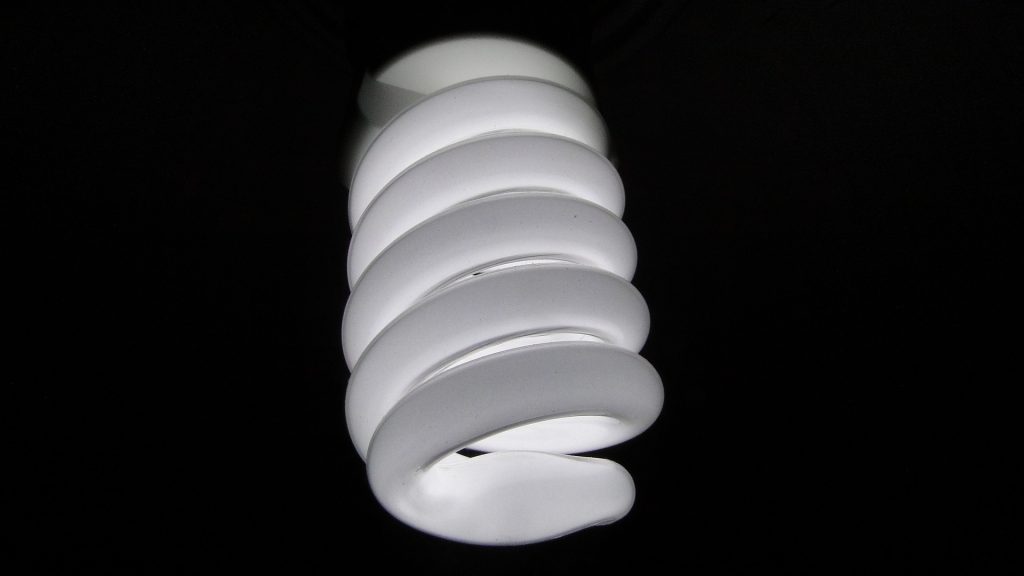
#3. Change Light Bulbs: Changing from incandescent light bulbs to Energy Star qualified light bulbs can have a significant impact on your utility bills and on making your home greener. CFLs are compact fluorescent light bulbs, whereas, LEDs are light-emitting diodes. The electricity savings for a single LED or CFL light bulb is about $6 per year, and $40 for its lifetime, according to the EPA. These light bulbs can also keep your home cooler, thus more comfortable, as they don’t give off heat.

#4. Seal Out the Elements: This can be as easy as installing energy-efficient window treatments or coating the glass with a Low-E window film. In some situations; however, this may not be enough. Some homes may require new windows or insulation. Air sealing your home can significantly reduce air infiltration. Gaps or cracks in your home’s foundation, walls, roof, doors, windows or attic can contribute to high energy costs. Many public utility companies have programs to assist with air sealing.

#5. Improve Your Heating and Cooling System: As much as half of the energy used in your home goes to heating and cooling. Making smart decisions about your heating and cooling system can have a big effect on your monthly energy bills – and your comfort. You should: regularly change your air filter, annually tune-up your HVAC equipment, install a programmable thermostat, seal your heating and cooling ducts, and consider installing Energy Star qualified heating and cooling equipment.

Track Your Home Energy Use

track your home energy use

With Home Energy Monitoring Systems

We’ve mentioned home automation systems in previous blogs, such as “6 Innovative Ways to Make Your Home Smarter”, and “Home Automation Systems Save You Money”, for energy management. However, the big picture shows us that energy management is about so much more than just automating your thermostat, to meet your family’s comfort levels. In order to save considerable money on those pesky energy bills, it’s important to know how much energy your home is using, and when it’s using it. This knowledge is something that most home automation systems don’t currently provide.

Home energy monitoring systems, on the other hand, have a running meter that shows you in real time just how much energy you’re using. Armed with this information, most homeowners use a lot less power, than they otherwise would. In other words, simply knowing how much power they’re using, incentives them to consume less. The end result? Increased energy efficiency! And, energy-efficiency is a good thing for everybody, as it saves you money and helps to ensure a sustainable future.

Several home energy monitoring systems exist including those that allow you to monitor electronics plugged into a single outlet, such as the Digi XBee Smart Plug, and those that take a whole-house approach, such as the TED Pro Home (discussed below). The products mentioned below, which should be installed by a certified residential electrician, offer the right balance between energy reduction and cost – all while maximizing occupant comfort.

TED Pro System

TED is short for The Electricity Detective. The Pro Home System comes with two current transformers that clamp around existing power lines, an Energy Control Center, and interactive software. Data in real-time can be viewed on any computer or mobile device that supports iOS or Android. A hand-held display is also available for purchase. Actual usage and cost estimates are updated every 10 minutes. This system allows you to tweak your energy usage in order to save money.

Digi XBee Smart Plug

The Digi XBee Smart Plug is a wireless energy management device that lets you manage and control the energy use of electrical devices plugged in via a standard electrical outlet. A key benefit is more efficient energy usage, resulting in decreased energy bills. This device requires that a connection be made to a ZigBee network (sold separately). When connected to the network, you’re offered a whole energy management solution. Information includes electronic on/off status, operating range, and erratic behavior.