CREDIT INFORMATION

Due to recent "Cyber Theft" and "Fraudulent Copyright Violations" please contact main office 936-756-0442

EMPLOYEE LIST

For employee information please contact main office 936-756-0442

David Heintz
President
A & H Electric Co.
3505 N. Loop 336 West
Conroe, Texas 77304
Office: (936) 756-0442

Blog

Is Overnight Device Charging Safe?

overnight device charging

Raise your hand if you’ve plugged in your phones, tablets, or laptops just before falling asleep. The promise of waking up fully rested, ready to go about our days, with a fully charged electronic device to assist us is quite alluring. Then there are those who’ve been told that overnight device charging is incredibly bad for the battery.

Here we explore this and other ways to protect your devices.

The Skinny on Overnight Device Charging

Today’s devices feature lithium-ion batteries and built-in protection chips. The latter stops the device from drawing power once the battery has reached capacity. That can take as little as 15 minutes to two hours depending on manufacturer and charging method (e.g., wireless, plugged-in, fast, or standard).

A problem can develop, though, if the battery overheats while charging. Once a device reaches capacity, charging temporarily ends until the battery falls below 100 percent or on some laptops, the stop charging threshold you set. That has the potential to produce heat, shortening the battery’s lifespan.

To prevent overheating, experts recommend removing any cases before charging overnight. It is also best to leave the phone on a flat, hard surface, like your nightstand. You should never place a charging device under your pillow either as this can cause it to quickly overheat. Many phones will shut-down should they get too hot.

What About USB Outlets?

Wall outlets with USB ports – USB-A, USB-C or both – are safe granted you still use official cables. The key here is to make sure the wall outlet with USB ports is UL listed, NEC compliant, and properly installed (preferably by a licensed electrician). Also, choose name brand manufacturers, rather than a cheaper alternative. Remember: You get what you pay for.

Don’t Let the Battery Drop to 0%

You can certainly benefit from not draining the battery before recharging. That’s because most lithium-ion batteries work in charge cycles. “You complete one charge cycle when you’ve used (discharged) an amount that equals 100% of your battery’s capacity – but not necessarily all from one charge,” according to Apple. As a rule, if your device falls below 30 – 40 percent, turn on the gadget’s power-saving mode. You may lose some features, but it’ll extend the battery’s lifespan.

A&H Electric specializes in the installation, repair, and service of all electrical systems in both commercial and residential properties throughout Conroe and the surrounding areas of Texas. We also perform electrical safety inspections. Schedule an appointment with a qualified, licensed electrician today at (936) 756-0442.

6 Ways to Save Money on Your Electricity Bill this Month

save money

If you are finding that the cost of your energy bill is through the roof – and would like to save money at the end of the month – the first thing to look at is where you’re consuming energy. Reducing your energy consumption is an excellent way to quickly decrease the cost of your monthly bills. In this article, we will introduce six effective methods that you can immediately implement in your home, which will aid in reducing energy and start saving you money.

Invest in LED Light Bulbs

Throw away those traditional light bulbs and start investing in LED light bulbs. LED light bulbs use up to ninety percent less energy than regular light bulbs and they last ten times longer. LED light bulbs are a simple yet ginormous hack in the home to save money on your electricity bill. LED light bulbs are key when it comes to saving money on electricity and should be installed in every room of your home. Your wallet will thank us later.

Donate Ancient Appliances

Do you have an old TV in your home that no one ever watches? That TV is occupying space in your home and in your bank account. Old appliances that are not being used and remain plugged in are sucking away tremendous amounts of energy. Old appliances and electronics are not worth keeping around. Consider selling, donating, or recycling those energy suckers that will ultimately cut costs in the long run.

Your Home Is Not Properly Insulated

One major complication that can be affecting your home and electricity bill is poor insulation. Drafty attic spaces or windows that need to be updated may be the primary reason why your electricity bill is so high. If your home is not properly insulated, you are essentially throwing money down the drain. As the years go by, make sure that you take the extra precautions to ensure that your home is up to date.

Keeping Windows or Doors Open While the AC Is On

The air conditioner consumes the most energy on an electric bill. If you keep your windows or doors open while the AC is running, you are basically throwing that energy, and cash out the window. If the AC is on, make sure that you keep the windows/doors shut or if the windows/doors are open, make sure the AC is off. You do not want to allow expensive, cold air to go to waste!

Prolonging Charging Time for Devices

The average phone or other electronic device needs about two to three hours to fully charge. Keeping your phone or laptop plugged in all night is not necessary. Charging your electronics all night drains your energy and money. Be cautious of charging times and try not to keep electronics plugged in overnight. This will also help extend the longevity of your device’s battery. This will save money on replacement batteries as well.

When All Else Fails, Call an Electrician

Even after implementing these tips into your home and it still seems that your electricity bill is a bit pricey, it is not a bad idea to have an electrician come and do a routine check up on your home. Sometimes there can be a fault or error within your electrical system that can be causing some drastic issues within your system. You never know what electrical problems can be occurring as we speak, the only way to know for sure is to contact your local electrician. Your electrician will be the most beneficial to saving you loads of money in the long run.

A&H Electric specializes in the installation, repair, and service of all electrical systems in both commercial and residential properties throughout Conroe and the surrounding areas of Texas. We also perform electrical safety inspections. Schedule an appointment with a qualified licensed electrician today at (936) 756-0442.

Call a Licensed Electrician for These 4 Red Flags


Licensed Electrician

“One in four U.S. homes are all electric.” That’s according to a 2015 survey conducted by the U.S. Energy Information Administration (EIA). The Residential Energy Consumption Survey analyzes energy consumption for these eight purposes: air conditioning, clothes drying, lighting, cooking, water heating, space heating, hot tubs, and swimming pools.

There’s no question that demand for electricity is considerably increasing. Residents are averaging 867 kilowatt-hours (kWh) of electricity each month. However, this data is often subjective, as many factors can influence the amount of energy consumed (e.g., geographic location and climate, home and household size, type and number of electronic devices, etc.).

With greater demand, comes an escalating need for greater responsibility, as the goal of any system is not only optimal performance but also safe operation. Electrical failures and malfunctions, according to the National Fire Protection Association (NFPA), were the second leading cause of U.S. home fires between 2012 and 2016. Protect your home by avoiding overloaded sockets and watching for red flags.

These four red flags necessitate contacting a licensed electrician in Conroe.

Hot Outlets

Although there are a variety of appliances that generate heat, that heat should never extend to the outlet, meaning the outlet or wall plate must never feel uncomfortably hot to the touch. Hot spots or, worse, scorch marks are strong indicators of unsafe electrical wiring. Immediately discontinue using that outlet, unplugging any appliances or electronics, until a licensed electrician can troubleshoot and repair the problem.

Flickering Lights

It’s one thing to have flickering lights at Halloween, but it’s another for ordinary lights to flicker or dim, as this often signals a loose electrical connection. If the flickering is contained to a single light fixture, the issue may result from either a loose bulb, faulty light switch or voltage fluctuation. To be on the safe side, it’s a good idea to call an electrician to evaluate your home’s electrical wiring.

Buzzing Noises

Electricity cannot be heard – unless things are not working properly. Buzzing, crackling, or other types of noise signal a serious problem. Noise is often a symptom of more significant problems and a potential fire hazard. Essentially, any noise emanating from your outlets is bad and requires calling an electrician. In the meantime, stop using the outlet until it can be serviced.

Tripping Circuit Breakers

Circuit breakers are designed to “trip” to prevent overloading. They will also instantaneously trip in the event of a short circuit or power surge. They play a key role in mitigating electrical hazards. If plugging in a small appliance causes the circuit breaker to continuously shut-off, the circuit is probably overloaded, preventing that and other appliances/electronics from being irreparably damaged. A licensed electrician can rectify this issue by connecting new circuits and redistributing electrical loads.

A&H Electric specializes in the installation, repair, and service of all electrical systems in both commercial and residential properties throughout Conroe and the surrounding areas of Texas. We also perform electrical safety inspections. Schedule an appointment with a qualified licensed electrician in Conroe today at (936) 756-0442.

Phantom Loads Revealed

phantom loads

The electricity consumed by common home gadgets and appliances despite being switched off is referred as phantom loads. The convenience popular products afford you comes with a price tag. According to a 2015 report by the Natural Resources Defenses Council (NRDC), plugged-in devices continually draw power, costing you $165 annually and increasing your carbon footprint.

Banish household phantoms and effectively lower your energy consumption.

Phantom Loads Revealed

There’s no shortage of electronic gadgets in the average home. That said, the most notorious phantoms are those with digital displays, speakers and remote controls. You’ll likely find most of these devices centered in or around your entertainment center or home office. Some of the biggest offenders include set-top boxes, televisions, desktop computers or laptops, and gaming consoles.

Banish Phantom Loads Once and for All

The best way to banish household phantoms is to simply unplug all electronics and appliances when not in use. While this is effective enough in theory, walking around a 2,436 square foot home, on average, unplugging dozens of devices may not be very practical or efficient.

Enter surge protectors!

They may look the same, but power strips and surge protectors are not alike. The latter expands the electrical outlets in your home, sure, but it also adds a layer of protection between your equipment and power surges. Many of today’s surge protectors feature automatic shutoff, USB ports (bye-bye bulky energy wasting chargers!), and coax ports.

To cut off the phantom load, you must manually turn-off the surge protector.

A cost-effective alternative is a smart surge protector, also known as an energy-efficient surge protector. This type automatically cuts power to the devices each time they are switched off. Surge protectors can be found at most any electronics store, big box retailer, and online. To avoid the risk of overloading them, make sure to buy a few.

A&H Electric specializes in the installation, repair, and service of all electrical systems in both commercial and residential properties throughout Conroe and the surrounding areas of Texas. Schedule an appointment with a licensed electrician today to discuss additional ways to save energy in your home or business.

Electronic Holiday Gifts for Him, Her, and You

Electronic Holiday Gifts

If you’re still in need of a last-minute gift – there are only 12 shopping days remaining – here are five electronic holiday gifts for him, her, and you. These are very practical gifts that will also cut energy costs.

Instant Pot

Support your friend or family member’s busy lifestyle by gifting them with an Instant Pot. It’s an all-in-one pressure cooker, slow cooker, rice cooker, steamer, sauté pan, yogurt maker, and warmer. One pot can literally replace seven kitchen appliances! The best part is that an Instant Pot prepares dishes up to 70 percent faster than conventional cooking methods. This will save on energy costs as well. Instant Pots are relatively easy to find both online and at big-box retailers. There is also an assortment of accessories available, from decals to egg bite molds, and everything in between.

Amazon Echo

A smart speaker can make life easier for just about anyone. Think of an Amazon Echo (i.e., Echo, Echo Dot, Echo Plus, Echo Spot, Echo Show, etc.) as their or your own personal assistant. Voiced by Alexa, the Echo series can be placed in any room, where the intended recipient can reorder household staples, hear the day’s weather report, or listen to their favorite music. The Echo can also control compatible smart devices for total home automation. You have the option of adding smart plugs, Fire TV sticks, or smart bulbs to your cart when ordering to get them started.

USB Outlets

Help them eliminate bulky wall chargers by gifting them with relatively inexpensive USB wall outlets. They make great stocking stuffers too! Today’s USB outlets have a minimum of two power ports for charging smartphones, tablets, and e-readers. Many are even available with both Type-A and Type-C ports for added convenience. The nice thing about these ports is that they shut off when not in use, reducing energy consumption, and thus money. The recommended strategy is to hire a licensed electrician to replace standard outlets with USB outlets.

Security Cameras

Give them the gift of peace of mind with security cameras that the giftee can install, or have professionally installed, around the perimeter of their home for enhanced safety. While there are a variety of cameras available, the best for outdoor use feature 360-degree coverage, infrared night vision technology and motion detection. They also permit remote monitoring. Alternatively, there are video doorbells that offer many of the same features, with the added benefit of two-way audio so they can screen visitors. Most, if not all, security cameras also have cloud recording.

Wireless LED Light Bulbs

Wireless LED light bulbs are a great gift. They’re designed to fit in a wide variety of fixtures and are controlled via an iOS or Android app. Once connected to the receivers’ phone or smart speaker, they can change color according to the music being played, flicker like a candle, strobe and more. Obviously, features will vary depending on brand, although they all are energy efficient. Popular brands include Philips Hue, LIFX, and Sengled. Wireless LED light bulbs can be purchased online or at local retailers.

Happy Holidays and Happy Shopping!

~ From your friends at A&H Electric

Scary Flickering Lights

flickering lights

There’s just something spooky about walking into a room with flickering lights. However, if they are not Halloween decorations, then the cause for your home’s flickering lights should always be investigated. Also, if you cannot find the source of flickering lights, a certified electrician should be called.

Simple Fixes for Flickering Lights

Loose Bulbs

A loose bulb is the most common cause of flickering lights. To test, turn off the power and wait for it to cool down (you can also use a towel to protect your hand from the heat), then tighten the bulb. Try not to tighten it too much though. You may also want to switch fluorescent lights with LED or another bulb type.

Dimmer Switches

Bulbs connected to dimmer switches may also cause problems if they are incompatible. It’s a good idea to check bulb compatibility before purchasing new LEDs. You can also try installing a new dimmer or switching to smart bulbs. The latter connects to your home’s Wi-Fi network for complete automation of the lights.

Complex Fixes Requiring Professional Assistance

Voltage Fluctuations

If powering on large appliances and HVAC units causes your home’s lights to flicker, at least initially, the circuit breaker could be to blame. Contact a certified electrician in your area to inspect the circuit breaker to ensure it is up to the task of powering everything in your home safely and reliably. This is not a do-it-yourself type of project!

Faulty Electrical Wiring

Faulty electrical wiring can generate an unsafe amount of heat, which can not only put your equipment at risk of damage but your home in danger of fire. Don’t hesitate to call in a professional to address problems with faulty, loose, or poor-quality wiring. A professional can pinpoint where the connection is bad by looking at your circuit board.

Hiring certified electricians to inspect, repair, or replace components of your home’s electrical system is key to your safety. A&H Electric specializes in the installation, repair, and service of all electrical systems in both commercial and residential properties throughout Conroe and the surrounding areas of Texas. We are licensed and insured as well! Schedule an appointment today at (936) 756-0442.

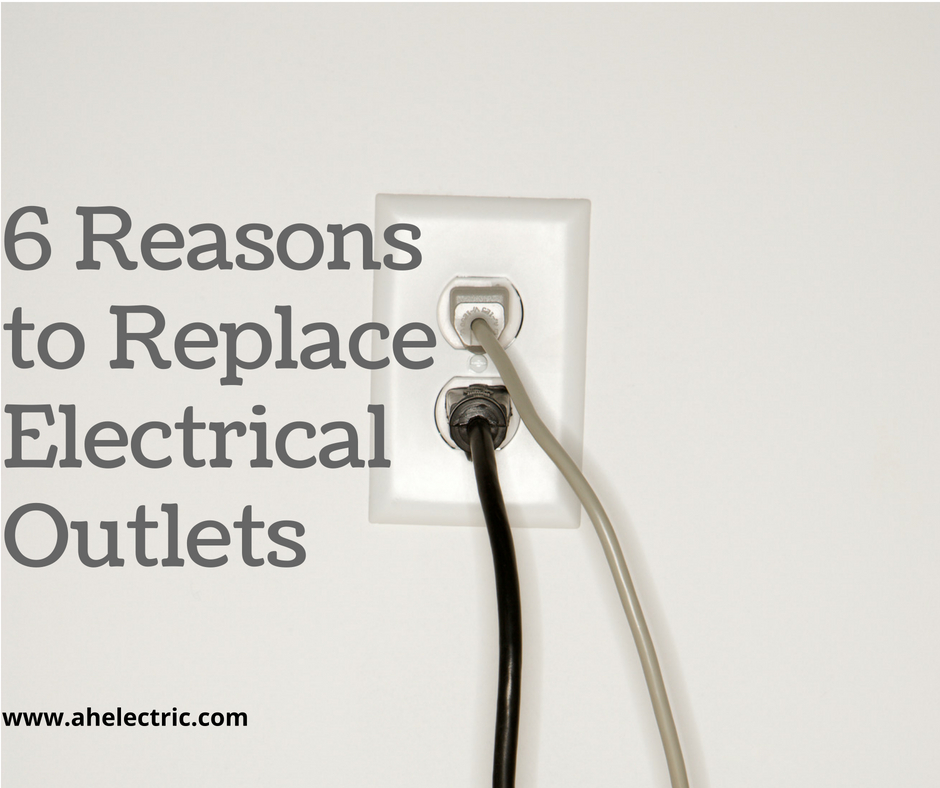
6 Reasons to Replace Electrical Outlets

electrical outlets

From the kitchen to the bedroom, electrical outlets, also known as a receptacle are in every room of your house. Increased reliance on technology means they’re subject to a lot of wear and tear. It’s possible for them to become outdated as well. Old or damaged electrical outlets can put you, your family, and your home at substantial risk.

Here’s when to replace or upgrade your electrical outlets.

Replace

Loose contacts: When you plug something in and it immediately falls out, it’s your old, tired outlet that needs to be replaced. Loose contacts are not only frustrating, but they also pose a significant fire risk. Hire a certified, licensed electrician to replace your outlets.

Cracked outlet plates: Cracked outlet plates may seem harmless, but they allow dust, dirt and dander to get into your electrical system. A fire could then result. They are also an eyesore. The same is true of covers with holes or gaps. It is advisable to change both the plate and outlet.

Two-pronged outlets: Two-prong outlets are connected to two-wire cables that are not grounded. Grounding protects you and your electrical devices in case of a fault. These receptacles are NOT up to code and should be immediately replaced with three-prong outlets to meet the National Electrical Code (NEC).

Sparking or hot outlets: When excessive heat builds up in an outlet, it can melt the protective coating on the cables, resulting in the occurrence of serious problems. This is often the result of short circuiting, water exposure, or even age. Immediate inspection and subsequent replacement is the best course of action for sparking or hot outlets.

Upgrade

USBs: Outlets with integrated USB ports let your charge your smartphone, tablet, and accessories using only a cable. No more need for bulky power adapters! Most USB wall outlets still give you two standard outlets. These outlets are ideal for bedrooms, living rooms, offices, and kitchens.

Wi-Fi Compatibility: These are more an add-on then replacement. Smart plugs connect to your home Wi-Fi network and allow you to control your appliances and electronics straight from your smartphone. Most can also be voice controlled using a smart speaker like Alexa or Google Assistant.

Having the experts at A&H Electric inspect and replace your electrical outlets will help keep you safe. We specialize in the service, repair, and installation of all electrical systems for both commercial and residential properties. Contact us today at (936) 756-0442 for more information or to schedule an appointment.

Summer Electrical Problems to Watch For

Summer Electrical Problems

Summer is on the horizon.

That means longer days, warmer nights, and endless fun.

It also means increased reliance on air conditioning to stay cool.

This, along with heat and humidity can cause several summer electrical problems that you should watch for, as well as contact a Houston electrical contractor to repair.

Stormy Weather

Summer thunderstorms can interrupt power – sometimes for several days, depending on the storm’s severity. One of the first things you should do when the power goes out is alert your utility company of the outage. Installing a generator at least 30 feet away from your home can help ensure you’re not left in the dark while the power’s out.

There are several types of generators sold including portable and standby. These generators are available in a variety of fuel types such as gas, propane, and diesel. Some can even be connected to your home’s existing liquid propane or natural gas fuel supply (if applicable). They are also available in a wide range of power capacities.

Increased Consumption

Cooling demand increases during the months of June through August. There is also an increased demand for lighting, appliances, and electronics. The amount of money residents spend on energy tends to be higher as well. In fact, according to the EIA’s Short-Term Energy Outlook forecasts, electric expenditures will be upwards of $420.

The best solution is to conserve energy. You do not have to do without air conditioning, TV or lighting to save money. For every appliance, electronic or light bulb, there is now an energy efficient alternative. Other simple and cost-effective ways to save energy and money during Houston’s 90+ weather include:

  • Plug electronics into a power strip
  • Don’t heat your home with appliances
  • Caulk and weatherstrip around windows and doors
  • Check your air filter monthly, changing it as needed
  • Program your thermostat to save energy when you are asleep or away
  • Turn lights, fans, and electronics off when you leave a room or don’t need them

Summer Power Surges

A power surge is a sudden increase in voltage that can occur for several reasons. For example, power-demanding electrical devices like air conditioners, refrigerators and stoves can create a voltage spike when they’re switched on or when their motors kick in. Surges can occur because of lightning strikes as well.

Regardless of the problem’s source, power surges can cause irreparable damage to your electronics, and/or appliances within seconds. Having a certified Houston electrical contractor install a whole-house surge protective device (SPD) is your best defense against harmful summer power surges.

Home Electrical Equipment Maintenance Tips

Home Electrical Equipment

A homeowner’s to-do list can often seem endless. Clean the gutters. Mow the lawn. Declutter the garage. Deep clean the kitchen and bathrooms. Repair a leaky faucet. Change the HVAC filters. Then, there’s the big one: Maintain the home electrical equipment. Ensuring your home electrical equipment is in good shape can prevent damage, injuries, and high repair costs.

Here are some home electrical equipment maintenance tips.

Install Tamper-Resistant Receptacles

According to the 2008 National Electrical Code® (NEC), power outlets in homes with children are required to have tamper-resistant receptacles (TRRs), which are designed to protect them from accidental shock resulting from the insertion of foreign objects. TRRs are UL-listed for safety and reliability. If you don’t already have them, contact a licensed electrician to install tamper-resistant receptacles throughout your home.

Test GFCI Outlets

Short for ground-fault circuit interrupters, GFCI outlets are designed to constantly monitor electricity flow, and instantly “trip” anytime an imbalance is detected. Building codes require GFCI installation in rooms where there is water such as a kitchen, bathroom, laundry room, and garage.

You will notice two buttons on a GFCI: A red one, which activates the outlet after the built-in breaker is tripped, and a black one that tests it to ensure proper functioning. The U.S. Consumer Product Safety Commission (CPSC) recommends testing these outlets once a month as well as after installation or an electrical power outage.

To test your ground-fault circuit interrupters, plug a lamp into the outlet. Turn the lamp on and press the GFCI’s test button. Did the light go out? If not, the outlet is not working properly, and you should contact a licensed electrician to correct the problem and/or replace the outlet.

Check Weatherstripping

If the weatherstripping around your home’s windows and doors is brittle or cracked, replace it. Weatherstripping helps to reduce drafts as well as block energy loss. You can find several different materials available at most any local hardware or home improvement store. The right one to choose will depend on the style of the window or door. Just cut to size and install according to manufacturer instructions.

Change Your HVAC Filters

Your heating, ventilation, and air conditioning (HVAC) system circulates air throughout your home. Its goal is to ensure the occupant’s thermal comfort and acceptable indoor air quality. HVAC filters are just one of the many components that work in unison with the system. These filters should be changed every 30 to 90 days, depending on your system, and whether you have pets or household members with allergies.

Change Batteries in Detectors

Smoke and carbon monoxide detectors are installed for your safety. Ensure they work properly by testing them every month. Change their 9V batteries every six months, or earlier if the alarm chirps, warning that the battery is low. Alarms with non-replaceable batteries are designed to remain effective for 10 years. Follow the National Fire Protection Association (NFPA) guidelines for installation.

Label Your Breaker Box

Labeling the breakers in your breaker box, properly known as the main service panel, will save time for both your and an electrician. You can make nice, neat, black-and-white labels for each breaker with a label maker. Create labels that are easy to read and won’t cause confusion such as “Master Bed.,” “Hall Bath,” and “Laundry Room.” Label breakers that are not connected to anything as “Spare.”

Smart Lighting: Getting Started

smart lighting

Let there be light! Controlling lights has never been easier than it is today. Smart lighting, whether with bulbs or switches, offers a relatively affordable way to light up your Conroe, Texas home or even, your business. If you’re interested in home automation, installing smart bulbs, smart switches or a combination of both is a great way to get started.

Smart Bulbs

Smart bulbs use light-emitting diodes (LEDs) and connected technology, such as Wi-Fi, ZigBee or Bluetooth to provide a degree of control and interactivity that you just can’t get with traditional bulbs. With smart bulbs, you have complete scheduling control, so you can come home to a lit house without leaving your lights on all day. Perfect for energy-efficiency! They can also be programmed to automatically dim or change color; great for setting the mood during date nights.

Smart Switches

Replacing traditional LEDs with smart bulbs isn’t the only way to achieve smart lighting. Smart wall switches connect to your home Wi-Fi and work with several popular home automation platforms. Smart switches can also be controlled via a smartphone whether the switch is on or off, whereas, smart bulbs require the switch to be on always. In addition to controlling the lights, smart switches can control your home appliances and electronics, even if they’re “dumb” devices. You can self-install or, better yet, contact a licensed electrician.

Achieving Ultimate Convenience

Have an Amazon Echo, Google Home, or Apple HomeKit device? Look for a compatible smart bulb or switch that allows you to control your lighting with your voice. Of course, you can also turn the bulb on or off by flipping a switch, as well. Some products can also integrate with security cameras, programmable thermostats, and other smart home devices. A home automation hub or bridge may be required.

If This, Then That (IFTTT) helps your apps and devices talk to each other. You can create applets that react in response to certain triggers or commands. For example: You can tell Domino’s pizza delivery app to automatically turn on the porch lights when the pizza is on the way. To date, IFTTT has more than 550 partner services, and millions of users who have created billions of applets.